Releases & News

New in Infinity – May 2021

Here’s new functionality across the Infinity platform that will help you and your team deliver the frictionless experiences your customers expect.

Infinity is a modular platform and you may need additional components or licencing to access some functionality.


icon-api-integration-60px.png

INFINITY API

Better management of products sold 

The Products API now supports an expanded range of Infinity’s standard product management functions. The additions increase control over the selling of certain products, to ensure that business rules can be met and the correct products are selected while processing transactions. 

 You can use it to define and view: 

  • The sites where a product can be sold.   

  • The date range between which a product can be sold. 

  • Whether the product must be the only product in a transaction. 

  • Whether each unit of a product must be on a different transaction line. 

  • Whether the product can only be paid for using certain media. 

 Make future product changes 

The new Products Planned Changes API allows you to take advantage of Infinity’s batch updates function to make changes to products that will take effect at a future date and time. Customers whose master product details are managed in systems outside Infinity can use it to create, overwrite, retrieve and delete future-dated changes. 

 Offer multichannel payment options 

Infinity Sales Orders API now supports websites sending payments for existing orders. Customers can pay for their in-store orders online, giving them more flexibility when managing their orders and offering a seamless purchasing experience.  


icon-infinity-inventory-60px.png

INVENTORY

Tailor labels printed for stores 

Infinity Labels now allows retailers to change the order that labels appear on screen, meaning you can print labels in the order that makes sense for your store layout. For example, you can decide to sort labels by description rather than by SKU. 

Easier de-allocation of stock from locations 

Finding items to de-allocate from a location has become easier and less time consuming now that stock items that are listed alphabetically on the Items Location screen, are also listed in that order on the De-allocate screen. To reduce errors and increase accuracy when de-allocating items from locations, Infinity can be configured so that all items are deselected by default and users need to select the items that are to be de-allocated. 


icon-coloured-wired-customer-data-60px.png

ORDER MANAGEMENT

Tax-free items retain status throughout order process 

Infinity can now process tax-free sales orders from creation to completion. Items logged as tax-free through any channel will retain their tax status throughout the lifetime of the order. 


icon-coloured-plan-pricing-60px.png

PRICING & PROMOTIONS

Increase promotion options for branches 

Businesses that use branch clusters in conjunction with rules-based pricing can now configure Infinity to add items to pricing groups and promotional rules even if those items belong to a higher level cluster than the local branch, or belong to no cluster. This gives you greater flexibility in the promotions you can offer your customers. 

Remove inactive items from searches for more accurate promotions 

The Rules Based Pricing item search experience at the Back Office has been improved so that users no longer see a list of search results that includes inactive items when they are creating a promotional rule or adding items to a pricing group. This ensures that the correct products are added to promotions and prevents confusion when unexpected products are listed. 

Increase the number of discount options you offer customers 

Businesses that use customer discount groups as a way to group customers can now use these discount groups to create pricing rules for the TRADE condition type when using the standard rules-based pricing procedure. This extends upon the existing customer category options already available so that a customer can belong to two different groups, with pricing rules able to be defined for each.   

For example, a trade customer can receive a standard discount because they are a gold-tier customer, as well as discounts on a particular range of products because of their business type and discounts on a set of products that they have negotiated directly because of a piece of work they are doing. 


icon-infinity-pos-hardware-60px.png

POINT OF SALE

Deliver staff reminders more frequently 

You can now update the reminders your store staff see throughout the day so that they keep pace with the changing needs of your business. Until now, reminders would be updated only when users started up the POS. Now when you add a reminder at the Back Office or Head Office, it will load at the POS when the operator logs in and after a transaction is completed.  

Control the visibility of branch stock levels 

Multi-branch businesses that include standalone outlets can now prevent those outlets from seeing stock levels at other branches, allowing you to maintain branch confidentiality across your organisation.  

Tailor the way you view search results 

You now have a greater choice of how you view Advanced Items Search results at the POS. Instead of viewing search results as thumbnails you can now choose to see all results in a list, which is useful when dealing with numerous results. You can also customise the columns listing the search results and the search criteria in a way that makes sense to your business and add search filters for these columns. 

Improve visibility of cash positions in stores 

If your business uses MESM Cash Management, you can now use it to receipt cash from the bank for your float and deposit cash in the bank, giving your Back Office staff an easy way of recording these transactions. You can also keep on top of your current cash position by seeing the amounts at all cash drawers as well as in the safe at a glance. 

Increase control over returns refunds 

The Returns Extended functionality can now prevent POS users from editing the unit price when completing a returns transaction if they do not have the authority to do so. If the unit price needs to be changed, the operator will need to get permission from a more senior staff member, thereby helping to prevent incorrect refund amounts from being given. 

Give customers BP fuelcard payment option 

If you are a New Zealand fuel retailer using PC-EFTPOS, you can now offer BP fuelcard as a payment method, allowing you to add more customers to your customer base.  


icon-industry-building-plumbing-60px.png

ADMINISTRATION

Increase security by increasing password strength 

Access to POS, BOS and HOS can now be made more secure through the use of password policy complexity. When implemented, your users must create strong passwords with at least three different types of character (they can use upper and lower case letters, numbers or special characters). 

More control for head office when closing branches 

You can now disable branches centrally from Infinity Head Office, allowing you to: 

  • Reduce the reliance on manual tasks when closing a branch. 

  • Gain greater control and flexibility when it comes to branch management. 

  • Shut down a branch more quickly, safely and efficiently than ever before. 

Your staff have to be specifically given permission to do this, meaning that admin users can enjoy greater control over branch management while other users cannot accidently close a branch. 


TECHNOLOGY

icon-integration-60px.png

SQL 2019 users will no longer get a "Login failed for user error" when the correct SQL user and password are entered. This applies for the following scenarios: 

  • When upgrading Infinity and the SQL user connecting to the database is not the standard Infinity SQL user. 

  • When the Infinity SQL user already exists, you are installing Infinity again and the correct SQL password is supplied during installation. 


To find out more about any of these enhancements and add them to your Infinity platform, contact us

If you’d like to get our regular ‘New in Infinity’ updates in your inbox, sign up to our newsletter.

New in Infinity – April 2021

The latest enhancements across the Infinity platform to help you and your team work more efficiently and create frictionless customer experiences.

Infinity is a modular platform and you may need additional components or licencing to access some functionality.


ORDER MANAGEMENT

icon-coloured-developer-support-60px.png

Extend visibility of orders to branches and regional managers

The Order Orchestration Dashboard now has a read-only mode available at branch or head office level. This extends the visibility of orders to additional staff, giving them the ability to view but not update orders. At branch level, only orders within the region of that branch can be viewed. A regional filter at head office gives regional managers an overview of orders within their region.

icon-software-delivery-checklist-aqua-60px.png

Easier edits to orders during picking

It is now possible to view and edit an order from Pick Manager.  This simplifies the process of managing an order if there are any issues during the picking process, freeing up time and making it more likely that an order is updated correctly.

icon-infinity-store-to-door-delivery-60px.png

Better management of delivery and pickup times

When an order for collection has been picked via Pick Manager, it is now possible to prompt the user to enter a delivery or collection date and time.  This enables stores to schedule preferred times for the order pickups, for example, during non-peak trading times. The customer should be contacted to discuss the scheduled pickup time. This update also gives stores more information for managing their orders.

icon-Maintain-accurate-supplier-information-60px.png

Easier selection of preferred suppliers

It is now possible to prevent a supplier from being automatically assigned to an order line for one or more branches. When enabled, the supplier is instead selected by the branch that will fulfil the order line if the order line cannot be fulfilled from store stock. This ensures that the store that fulfils the order line makes an active decision about where to source their stock and means that the supplier selected is more likely to be the best for that specific order in terms of cost or time to deliver.

icon-cloud-integration-60px.png

Improve data integration with external systems

When adding or updating a sales order, non-printable characters entered into the order notes will no longer be saved to the database. This limits the risk of sales order integrations to external systems failing due to un-recognised characters and reduces the time spent correcting these issues. 


PRODUCT INFORMATION MANAGEMENT

icon-coloured-wired-fluid-inventory-60px.png

Faster selection of products

For companies that sell non-barcoded products, or services with various options that can be selected, a new mode of the Infinity Options and Links product selection wizard allows you to navigate through the available options to select an existing product. This makes it easier for staff and customers to understand, simplifying the transaction and reducing time. It also allows you to analyse sales to find the most popular options selected and use this knowledge to update and improve the options available and drive more sales.

icon-infinity-barcode-label-generation-60px.png

Easier management of duplicate barcodes

When managing item master data imported and exported to/from spreadsheets using Infinity ETL, it is now possible to import items with duplicate alternate barcodes.  This sometimes occurs when suppliers re-use a barcode on a different product. This new option frees up time spent adjusting data so that the barcodes are unique and the import is successful.

icon-analytics-desktop-60px.png

Improve data, stock and reporting accuracy

A new validation prevents child items from being re-activated unless the parent item is active.

icon-call-us-sales-60px.png

Faster price updates

The Inventory Review module allows branches to choose whether to apply a recommended retail price change or to keep their own price.  For companies who use this module, entering price updates at head office is now faster due to recent optimisation of this module, freeing up some of the time spent administering data.


PRICING & PROMOTIONS

icon-coloured-wired-customise-atoe-60px.png

Better visibility of promotions and pricing options

New functionality helps users to upsell during a promotional period or when there is different pricing for an item at higher quantities. This function shows the user when Pricing Scales or Product Sets are applicable to the current sale. An indicator can be configured to appear on transaction lines where these pricing options are available and staff can click a button to view further details. 

icon-infinity-pos-hardware-60px.png

Improve POS scanning accuracy

When a survey notification prompt appears on the POS screen and an item is scanned, Infinity no longer closes the prompt. This means that staff will not accidentally miss scanning an item into a sale, thinking that they have already done so, reducing revenue loss and improving stock accuracy.

icon-api-integration-60px.png

Prevent unintended updates to pricing conditions

Infinity head office users can no longer create pricing conditions for their cluster for a promotional cycle that belongs to a parent cluster. This means that if a promotional cluster is updated, there are no unintended updates to pricing conditions at a lower cluster level.

icon-coloured-wired-stopwatch-60px.png

Faster repricing

RBP Engine has been optimised to reprice large quantities of items with quantity breaks instantly. Repricing is now faster, creating  a faster customer experience.


POINT OF SALE

icon-grey-endless-options-60px.png

Give customers Openpay payments

Infinity can now accept payment by Openpay in Australia. Openpay is an online and in-store payment solution that lets customers purchase now and pay later, with no interest. 

icon-search-60px.png

Reduce queue times with new search capabilities

You can now configure a POS button to call an advanced item search for a particular department, sub-department or class only. This is useful for quickly finding products of a particular type that are not barcoded at the point of sale, reducing queue times.

Another new feature is useful for quickly finding commonly sold products that are not barcoded. Advanced Item Search can now be configured to automatically show the top 5 selling items on opening.  If Advanced Item Search has been restricted to a particular department, subdepartment or class, then it will show the top selling items from that department, subdepartment or class. 

icon-digital-receipt-60px.png

Enhance Slyp digital receipts

The Slyp Integration has been enhanced to enable better matches to EFTPOS transactions and now Australian retailers who use Linkly (formerly PC-EFTPOS-AU) can use Slyp to deliver Digital Smart Receipts to their customers' banking app.

icon-vending-machine-60px.png

Add VDMS vending machines

Infinity is now integrated with VDMS vending machines. Infinity can check the inventory levels in the vending machine and disallow a sale if there is not enough stock.  It can also check whether the vending machine door is open and disallow a sale if it is. Upon completion of a sale containing a VDMS product, the product is automatically issued from the vending machine. 


INVENTORY

icon-coloured-wired-stopwatch-60px.png

Faster generation of purchase orders

The performance of automatic purchase order creation by date range in Infinity has been significantly improved, which frees up time spent waiting for purchase orders to be generated.


TECHNOLOGY

icon-security-cloud-60px.png

The Infinity Cloud Events Service can now publish heartbeat and sale transactions events using the Cloud Events v1.0 standard format either via Rabbit MQ or via cloud-hosted API.  These events can be used to integrate sales transaction data to other systems, for example, analytics, electronic marketing systems, financial applications and alerting systems.

The Infinity Cloud Events Service heartbeat processor now states whether the back office and/or station database connectivity (linking) is healthy or not. If its unhealthy, it will list the back offices and/or stations that are unhealthy.  This information can be used to raise alerts if a branch is not linking.


OTHER

icon-api-scalability-60px.png

When viewing and searching for invoices using the Invoices API, you can now retrieve fuel sale and fuel discount information.  This is useful for providing this information to other third party systems, such as enabling a customer to view their transaction details.

The configured Maximum Sale Value can now be set to a decimal value. This feature helps support controls related to Anti-Money Laundering legislation, where businesses need to complete a series of person checks if the sale is $10,000.00 or more.

For companies with a large volume of transactions, it is now possible to schedule a task overnight to purge data older than a given number of days from the head office database rather than using the standard Infinity database clean-up which is not run at a scheduled time. If a company wishes to reduce the length of time that data is kept in the head office database, then this process can also be used to incrementally reduce the number of days of data held in the database, without having to reduce the data lifespan parameter each day. 


To find out more about any of these enhancements and add them to your Infinity platform, contact us

If you’d like to get our regular ‘New in Infinity’ updates in your inbox, sign up to our newsletter.

New in Infinity – January 2021

Here’s what’s new in Infinity to help you and your team create frictionless experiences for your customers.

Infinity is a modular platform and you may need additional components or licencing to access some functionality.


CUSTOMERS & LOYALTY


icon-add-loyalty-tiers-60px.png

Create a tiered loyalty program

A customer’s loyalty category can now be changed using the Loyalty API, giving you the ability to implement an integrated, tiered customer loyalty program. For example, if an existing customer signs up to be a VIP customer online, the Loyalty API will send updates to Infinity Loyalty and the customer will receive their new offers and rewards. This also allows an external CRM system to re-classify customers.


icon-add-loyalty-to-third-party-clouds-60px.png

Generate and track loyalty offers in external systems

You can now create loyalty offer codes in external systems (such as Salesforce Marketing Cloud) and make those codes available in Infinity to generate targeted offers, while keeping Infinity as the single source of truth. This means that when a Loyalty customer wants to redeem an external offer, your store staff and website can identify it by either reference, and the offer can be marked as redeemed in the external system when it is consumed in Infinity. Store staff can also identify the offer by both the Infinity offer description and the external reference.


icon-coloured-wired-fuel-intergration-60px.png

Retrieve fuel discounts faster

Support office staff who need to search through large volumes of cents per litre (CPL) fuel discounts can retrieve those transactions faster and more efficiently. Search results are now organised into manageable chunks in a paged format. Staff using Infinity Loyalty and external loyalty systems can take advantage of this enhancement. 


PRODUCT INFORMATION MANAGEMENT

icon-Maintain-accurate-supplier-information-60px.png

Maintain accurate supplier information

Users are now warned if they try to use a product’s primary supplier as an alternate supplier as well. You can also use the new Duplicate Supplier Product Code Report to keep an eye on any double-ups and correct them.


INVENTORY

icon-packs-60px.png

Simplify goods receipting of packs

Your staff can now use pack details to receipt against invoices, simplifying the process by saving them the trouble of having to calculate the sell units that have been delivered.


ORDER MANAGEMENT

icon-coloured-developer-support-60px.png

Send customers progress updates for online orders

Keeping your customers informed about the status of their orders is now much easier following enhancements to Infinity Messaging. You can now send customers notification emails to show the status of their orders, such as completed and shipped, delivered or ready to be picked up. You can also send emails with pick-up reminders and when customers cancel orders. Order documentation can be attached to the emails to remind them what they have ordered.


PRICING & PROMOTIONS

icon-coloured-wired-customise-atoe-60px.png

Faster creation of branch-specific promotions

If your multi-branch business doesn’t already use Infinity’s branch cluster functionality, you can still create pricing rules for branch groups. This means you no longer have to create promotions branch by branch, saving you time and ensuring greater accuracy.


REPORTING & ANALYTICS

icon-coloured-wired-real-time-analytics-60px.png

Accurate data for aged trial balance reports

You can now report on historical aged trial balances for a specified date and time. Infinity allows you to capture a snapshot of these totals at crucial moments, such as month-end. This is particularly useful if you run month-end a few days later, but still need accurate data. The report works in conjunction with the Infinity SQL Job Service, which has been enhanced to include an Aged Trial Balance processor.


POINT OF SALE

icon-cash-stack-60px.png

Assign accurate reasons for cash transactions

Assigning reasons to POS transactions has been enhanced so that you can now set up separate reasons for cash pick-ups and deposits. This means your store staff can provide more clarity about the reason for the withdrawal or deposit, such as “float top-up” or “window cleaner payment”. 

icon-coloured-wired-complexity-60px.png

Easier access to customer pricing

It’s now easier for users to see customer pricing that applies to items when using the Advanced Item Search. If you use customer pricing in conjunction with single unit promotional pricing, a red border around the item’s tile in the search results lets staff know that it has been repriced, allowing them to tell the customer the actual price they will pay for an item.

icon-loyalty-60px.png

Better visibility of customer wishlists in stores

Using in-store wishlists has become more seamless now that users don’t have to add an item to a sale in order to see a customer’s existing wishlist.

icon-coloured-wired-stopwatch-60px.png

Faster retrieval of epay receipts

You can now configure your printed receipts to show the epay transaction reference, so if the original epay receipt is lost you can get the transaction reference from the sale receipt or the reprinted sale receipt.

icon-cash-management-60px.png

Simpler customer refunds in stores

Store staff can now use Infinity’s Returns Extended function to search for transactions using eternal transactions references, such as those on warehouse dispatch documentation, as well as Infinity reference numbers, making it faster and simpler to find transactions to refund against. 

Easier attachment of dangerous goods certificates

If you sell dangerous goods, you can now attach a certificate type to more than one product type across a tiered product inventory. This is useful in situations where a customer who holds an advanced certificate needs to buy a product type that requires a lower-level certificate. Infinity now allows the advanced certificate to be attached to products at all lower levels.


TECHNOLOGY

icon-infinity-technology-layers-60px.png

Help to disable TLS 1.0 for PCI compliance 

If you need to disable TLS 1.0 to meet PCI requirements, Infinity Core now supports using an alternate database provider that will connect to the SQL database with TLS 1.0 disabled. Prior to this change, disabling TLS would stop any connectivity to SQL Server databases.

Infinity Core is the first module to be updated and Triquestra will be working through the wider product suite to enable and validate operations without TLS 1.0 enabled.


To find out more about any of these enhancements and add them to your Infinity platform, contact us

If you’d like to get our regular ‘New in Infinity’ updates in your inbox, sign up to our newsletter.

New in Infinity – September 2020

We’ve added new features and made enhancements across the Infinity platform to help you and your team work more efficiently and offer better experiences to your customers.

Infinity is a modular platform and you may need additional components or licencing to access some functionality.


CUSTOMERS & LOYALTY

icon-loyalty-60px.png

Let customers add items to their wishlist in stores

When a customer visiting a store is undecided about purchasing an item, your staff can now add the item to their personal wishlist. This gives the customer a convenient collection of items that acts as a reminder for future purchases and can be easily shared with family and friends. When they make a purchase, the item is automatically removed from the wishlist.


PAYMENTS

Give customers frictionless payments with Adyen

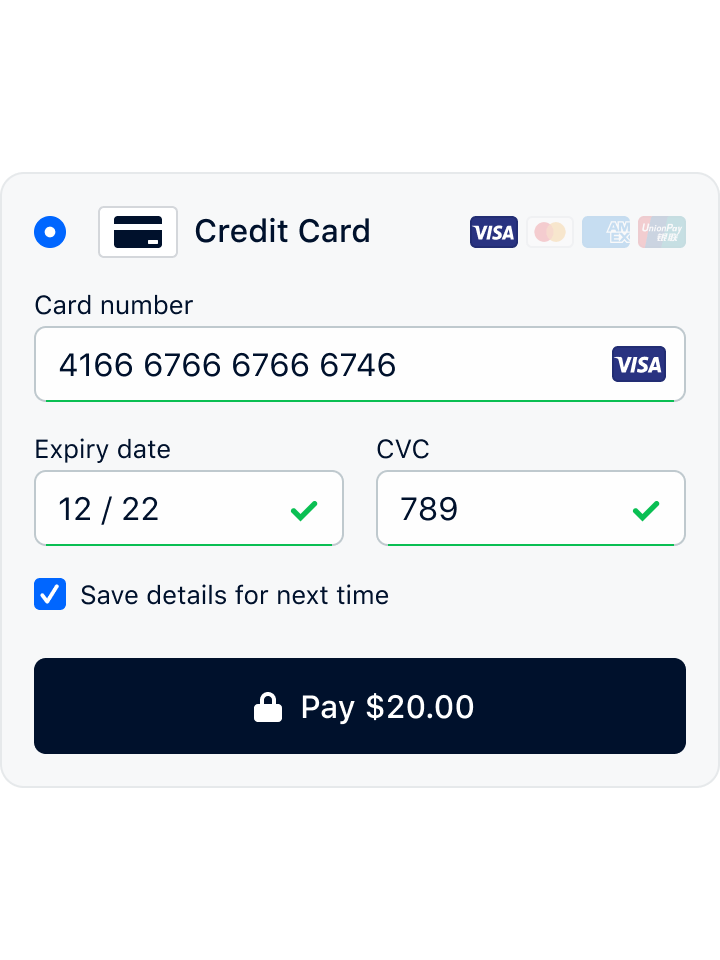
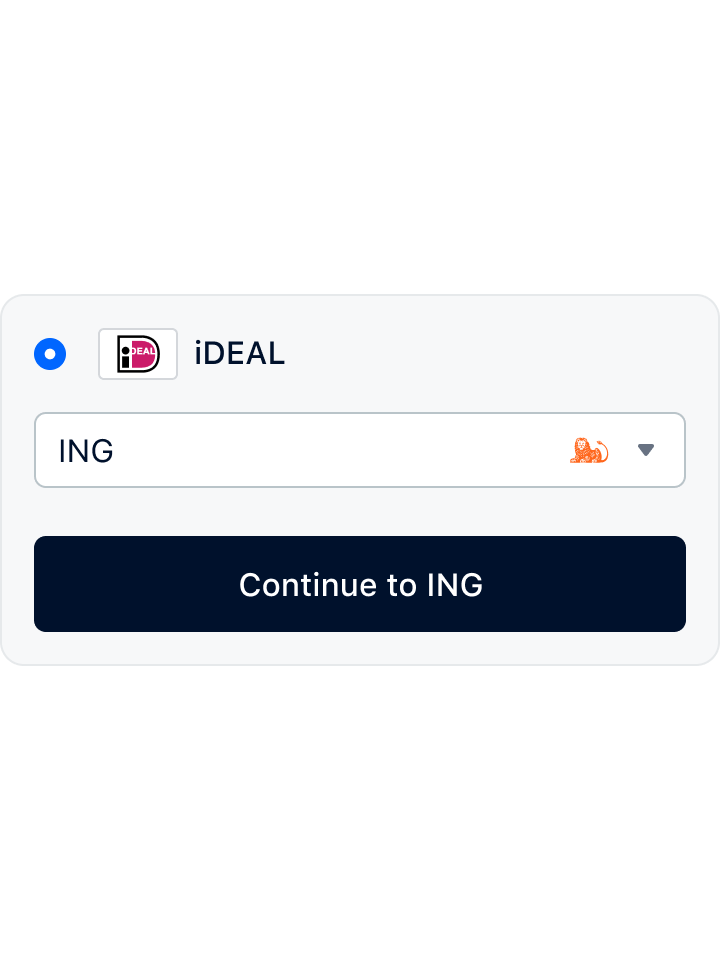
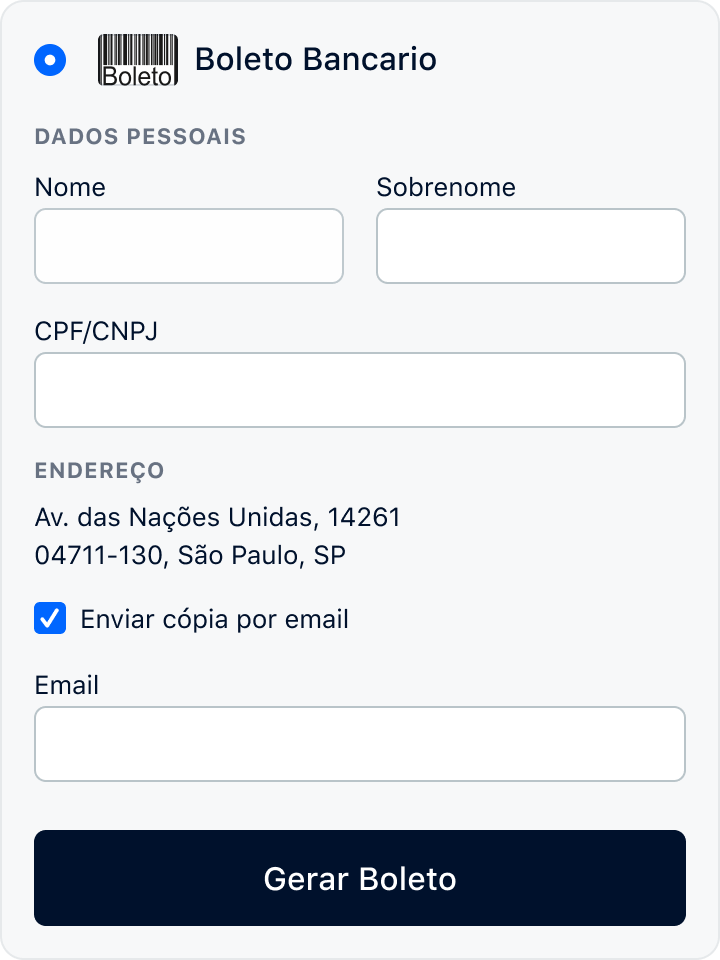
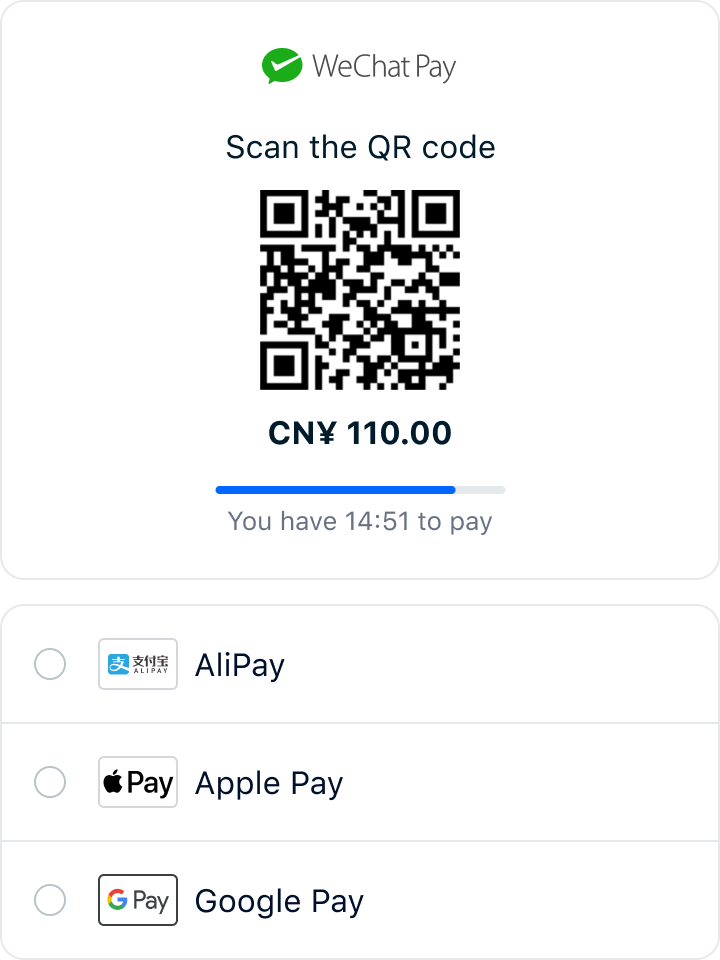
You can now take advantage of the Adyen global payments platform for both online and in-store payments. Infinity’s new integration with Adyen’s global payments platform lets you accept local payment methods from customers around the world, and gives you the benefit of consolidating all your payment provider costs into one bill. When customers shop in your stores, they can use their credit or debit card to make the payment, no matter where they are from. The transaction details are automatically displayed in their language and currency, making the checkout process fast and easy. Adyen supports all popular payment methods, including payment wallets such as Alipay, WeChat Pay and Google Pay.


PRODUCT INFORMATION MANAGEMENT

icon-infinity-customer-product-display-60px.png

Provide customers with more details on product prices and stock availability

If you use the Infinity Product Price Lists API, your customers’ shopping experience across online and physical channels can be enhanced by exposing additional pricing and stock availability information. You can now show alternate pricing for a product, such as promotional pricing, country-specific pricing and loyalty pricing. If they want to buy a product that is not currently in stock, they can see when it is likely to be available. They can also see if a product is available as an individual product or in a box. 

icon-coloured-online-60px.png

Search for stock items is faster and easier 

You can now quickly search for stock items by product code, alternate product code and SKU at the same time. We’ve created a new Any Code filter on the Stock item screen at both Back Office and Head Office. 

icon-infinity-drop-shipping-delivery-60px.png

Regulate your minimum and maximum stock levels 

If you use Infinity to regulate your stock levels, you can be confident that the minimum and maximum quantities you enter will work together correctly for all items and all branches. Validation has been added to the quantity fields on branch-specific items, so Infinity will let you know if the minimum amount is higher than the maximum amount, and vice versa.


ORDER MANAGEMENT

icon-infinity-store-to-door-delivery-60px.png

Stores can now select the best delivery option for each customer using Shippit’s shipping platform

When an order is created at a point of sale and the customer wants their goods to be delivered, your store can now send a quote request to Shippit. Once they’ve selected the delivery option that best suits the customer, they can book the delivery and print a shipping label. Using Shippit not only automates the quote and booking processes, it reduces keying errors and removes the need to enter information into multiple systems. Shippit is only available for orders created using Infinity Order and Quotes.

icon-coloured-wired-customer-data-60px.png

Better visibility of items on pick list

Your store staff can now more easily see what needs to be picked as part of an online order. The full details of items with long descriptions can now wrap over multiple lines on the pick list, meaning team members can see items at-a-glance.  


INVENTORY  

icon-coloured-developer-support-60px.png

Easier product returns to suppliers

You can now search for items to be returned to a supplier using the supplier’s product code. This is helpful in situations where the simplest way to find items that need to be returned is by looking at the documentation that has been sent with the goods. 

icon-coloured-wired-stopwatch-60px.png

Faster identification of stock source

It’s now easier to tell where stock has come from when you receipt a stock transfer. The name of the transferring branch has been added to the Receipt screen so that you can see the source of the stock at-a-glance.


POINT OF SALE

icon-infinity-certified-solutions-60px.png

Infinity is now accredited for Samoa’s new Tax Invoice Monitoring System

Samoan retailers can now use Infinity to give their customers instantly verifiable invoices required by the government’s Tax Invoice Monitoring System, introduced to ramp up tax collection and reduce tax evasion. Sales completed at the POS are sent to the Sales Data Controller which transmits a fiscal invoice back to the POS so the receipt can be printed. 

More accurate stock levels

Your POS operators will now be warned if they add an item with a zero or negative count to a sale using the Advanced Item Search. This will act as a reminder to staff to process stock receipts so that your stock levels are correct.

icon-coloured-wired-demand-forecasting-60px.png

Faster collection of Goody loyalty points during customer purchases

The Infinity integration with Goody loyalty cards has been made more seamless by allowing card numbers and fuel coupons to be scanned straight into the product search box at the point of sale. 


TECHNOLOGY

icon-analytics-desktop-60px.png

As part of our continual improvement, we’ve made a number of technology enhancements 

The AKPOS database can now be installed and upgraded in a cloud environment. This option is available to clients who host their HOS database on a supported SQL Server environment where full admin access to the SQL instance and the file system is not possible eg a SQL PaaS platform.  The supported SQL Server installations include:

  • Microsoft Azure: SQL Managed Instance 

  • Amazon Web Services: RDS 

  • Google Cloud Platform: Cloud SQL 

  • Plus any on-premise deployment using SQL Fail Over Clustering Services. 

icon-api-integration-60px.png

There’s more:

  • Infinity APIs have been upgraded to use .NET Core 3.1. 

  • Infinity Cloud installer now supports SQL Server 2019.

  • Multiple instances of the Infinity Identity API can now be run on multiple servers, removing the possibility of a single point of failure in high-availability environments.


To find out more about any of these enhancements and add them to your Infinity platform, contact us

If you’d like to get our regular ‘New in Infinity’ updates in your inbox, sign up to our newsletter.

Webinar: How we’ve improved software quality and accelerated delivery with Smartbear

Watch our Head of Delivery, Greg Cantlon, explain how we quickly innovate and introduce new products for our clients, while ensuring high quality.

Watch Smartbear's webinar

To ensure that our Infinity unified commerce platform supports retailers and brands to provide frictionless shopping experiences, we developed an API- and design-first approach to our product development.  

This helps us to quickly adapt to changing market demands and shifting consumer expectations, and deliver higher quality products with valuable features, faster.


In this webinar our Head of Delivery, Greg Cantlon, describes our development journey and shares how adopting Smartbear tools has enabled us to:

  • Automate UI testing and shorten our regression cycles from days to just hours using TestComplete, helping to ensure a seamless customer experience

  • Adopt a design-first approach with SwaggerHub to provide clear API documentation to consumers

  • Automate API functional and performance testing to reduce testing cycles with ReadyAPI.


If you’re interested in how we’ve increased the quality and speed of our product development.

Check out Smartbear's webinar

Frictionless payments with Adyen – now integrated with Infinity

pos-header-image.jpg

Infinity’s new integration with Adyen’s global payments platform lets you accept local payment methods from customers around the world. 

Ayden-Logo.png

Adyen is an all-in-one payments solution that offers your customers local payment options and alternative payment methods at checkout in over 145 currencies.

When customers shop with you in stores, they can use their credit or debit card to make the payment, no matter where they are from. When they swipe their card, the transaction details are automatically displayed in their language and currency, making the checkout process fast and easy.

Adyen supports all popular payment methods, including payment wallets such as Alipay, WeChat Pay and Google Pay. Adyen can also help your management of product refunds. Website or mobile orders can be returned in stores for a refund if the customer originally paid with Adyen.

Our integration with Adyen is another way that Infinity helps you offer new services that improve the customer experience and simplify your technology landscape. 


To find out more about Adyen and how to add it to your payment options:

Contact Us

Infinity is now accredited for Samoa’s new Tax Invoice Monitoring System

The Samoan Government has introduced an electronic invoicing system to ramp up its tax collection and reduce tax evasion. 

As a local APAC solution provider, we’re committed to the Pacific Island region’s digital transformation and are pleased to provide early support for Infinity users’ peace of mind. 


Called the Tax Invoice Monitoring System (TIMS), the rollout has started with large retailers and hospitality providers and will eventually expand to smaller stores throughout Samoa.

All registered retailers are required to use Electronic Fiscal Devices and provide customers with instantly verifiable invoices. Sales completed at the point-of-sale (POS) are sent to the Sales Data Controller, which transmits a fiscal invoice back to the POS so the receipt can be printed.

We’re pleased to announce that Infinity has been accredited by the Samoan Ministry of Customs and Revenue. Here’s more detail about the requirements:

homepage_splash_fullRes.jpg
Samoan Tax Invoice Monitoring System >>>

If you’d like to find out more about how Infinity can help you meet the new TIMS’ requirements, please contact us.

Keep a record of store visitors with Infinity Check In

We have restarted Infinity Check In, our free, contactless visitor register for retailers.


Infinity Check In lets customers scan a QR code or give their details to store staff, so that you can keep a record of who has visited your stores or sites.

2020-04-23 14.49.03.jpg

First developed in April as a tool for contactless store visits, we closed it in June when retailers weren’t required to keep customer records for contact tracing.

The New Zealand Government now requires all businesses to display a NZ COVID Tracer QR code at each location. They also ask retailers to keep a contact tracing register at their sites for people who cannot use the NZ COVID Tracer app.

In Australia, some States and Territories require businesses to collect information about customers and visitors to their premises.

As a result, some of our clients asked us to restart Infinity Check In. We’re pleased to offer it again for any retailer that might want to offer an additional level of reassurance for customers and employees.

You can start using it here or talk to us for more information.

Contact Us

If you’re thinking of introducing a click-and-collect service to customers, here are our top three things to consider

New in Infinity – August 2020

We’ve added new features and made enhancements across the Infinity platform. Here are some of the main improvements so you can offer better experiences to your customers. Scroll down for the complete list.

Infinity is a modular platform and you may need additional components or licencing to access some functionality.


INVENTORY  


icon-software-delivery-checklist-aqua-60px.png

Mark the lines on a purchase order as ‘Done’

Infinity users can now mark the lines on a purchase order that have been ‘Done’ when the purchase order is receipted. This feature helps prevent confusion about which lines have been processed and which still need to be actioned. 

icon-security-cloud-60px.png

Numeric stock entry for improved user experience

The Cloud Inventory Stock Take field that’s used to input counted quantities now displays the numeric keypad instead of the full keyboard to make it quicker to enter stock counts.


ORDER MANAGEMENT 

icon-infinity-drop-shipping-delivery-60px.png

Local stores can now determine the best supplier for orders from any channel

If you manage orders from multiple locations or channels, your stores can now determine the supplier, instead of the supplier being automatically assigned. This change is useful for retail call centres and businesses that use an endless aisle model and distributed supply chain because it enables staff to capture customer orders, and then lets the local store determine the best supplier to source the products from.    

icon-api-integration-60px.png

Infinity EDI Service now uses SFTP & SSL certificates

The Infinity EDI Service can now use SFTP (SSH File Transfer Protocol) with a shared SSL certificate, as well as the existing shared key and secret option. This enhancement allows the EDI system to connect to suppliers’ SFTP servers to send purchase orders.


CUSTOMERS & LOYALTY 

icon-coloured-wired-demand-forecasting-60px.png

See a live summary of a customer’s reward accumulator balance

Infinity Loyalty users can now see a live summary of customers’ reward accumulator balances on Infinity Cloud Membership screens. For instance, if customers get a free coffee with every tenth coffee purchase, you can see how many more coffees a customer has to buy before they qualify for the free drink. 

icon-security-shield-60px.png

Fraud prevention has been improved

Prepay accounts were being locked sooner than they should because pre-authorised debit transaction activities were being counted towards standard debit transactions. Now only debits that aren’t related to pre-authorisations contribute to the fraud protection lock-out feature. 


PRICING & PROMOTIONS

icon-infinity-settings-60px.png

The promotional cycle is now retained when a promotion for a cluster or a branch is created.

Previously, the promotional cycle was set to 'None' when a user created a new cluster or branch promotion, even if a promotional cycle had been selected. 

icon-coloured-wired-endless-60px.png

We’ve fixed an issue where the internal ID field on pricing rules was overwritten when updating data through the Infinity screens.

Integrated systems can now synchronise pricing data, including rules that have been edited in Infinity.


REPORTING & ANALYTICS

icon-security-cloud-60px.png

Identify potentially fraudulent use of fuel CPL discount coupons

Enhancements have been made to the Fuel CPL Multiple Transaction Report to help you identify potentially fraudulent use of CPL discount coupons. The report also shows which identifiers were used for various transactions to help isolate exceptions and reveal high-use identifiers that require further investigation.   

icon-analytics-desktop-60px.png

A new report lets you see one-off payments to customers

A new Till Adjustment/Paid Out Report lists till adjustment transactions where money is paid out of the till only. This report can help you identify when POS operators have made one-off payments to customers for items such as scratch cards, and gives you better information for cash reconciliation.


POINT OF SALE

icon-coloured-online-60px.png

Improved POS process for customers using the Infinity Loyalty prepay account and check-in

This workflow has been improved to let a customer check in again after deciding not to use the prepay account, without needing to generate a new check-in. Previously the customer needed to start the process from the beginning. This makes the POS process faster and simplifies the customer experience.  

icon-industries-franchises-fuel-60px.png

Fuel pump number is now included in Digitfort DVR information

Fuel sale information that’s sent to the Digifort DVR system will now include the fuel pump number that was used for the transaction. This improvement makes it easy for auditors to investigate any issues relating to a specific fuel pump.   

icon-coloured-wired-waving-customer-service-60px.png

You can now prevent payment types from being used to pay debtor accounts 

This feature means you can restrict the use of payment types for which financial, contractual or legal risks or issues may apply.  

icon-coloured-wired-staff-60px.png

The advanced cash management functions at POS can now prompt the POS operator to go immediately into the cash drawer and safe at the end of the shift. This enhancement helps speed up end-of-shift and end-of-day processes where the operator does not count the cash separately in the back office. If the operator does count the cash separately, they can cancel the prompt and return at a later time to add the counted values as per the original workflow.  

icon-infinity-customer-product-display-60px.png

We have modernised the look and feel of some POS screens in micro-modules so they look like the main POS and give you consistency across all POS screens.   

icon-call-us-sales-60px.png

The POS messaging for customers eligible for fuel CPL discounts from exclusive CPL rules has been improved. When a customer is configured as spend-only, the POS now displays ‘Customer cannot Stack daily offer as only Spend is allowed’. This message will be displayed regardless of the minimum spend configured against the rule. Previously, the POS would show ‘Customer cannot Stack daily offer as fuel purchase is less than {fuel minimum limit}’, even if the customer could only spend CPL discounts. This wording could be difficult for the operator to explain to the customer.

icon-industries-franchises-fuel-60px.png

The message that the POS operator sees when the fuel CPL API is offline can now be customised, so the operator sees information and messages in a context relevant to them.  

icon-coloured-wired-waving-customer-service-60px.png

Non-printable characters in the Dangerous Goods handler field were causing issues with integrated systems and reports. They will no longer be accepted and the user will receive a prompt showing the validation error.


ADMINISTRATION

icon-api-scalability-60px.png

The Infinity branch cluster functionality has been extended to include Infinity customers 

All customer types can be assigned to clusters – debtor, normal (other account), layby and open account customers.

icon-coloured-online-60px.png

Branch specific button editing now with preview

When a head office user edits branch-specific buttons, the preview screen now shows the correct layout for the selected branch instead of the default master branch, so the user previews the correct layout.


TECHNOLOGY


icon-integration-60px.png

Infinity now supports installations using Microsoft SQL Server 2019

Infinity still has support for SQL 2012, 2014, 2016, and 2017, and ships with SQL 2014 as standard.  

icon-api-integration-60px.png

Now you can send all sales transactions to a cloud-hosted API in Azure Event Hubs

The new Infinity Sales Invoice Notification Service lets the back office (or head office) send all completed sales transactions to a cloud-hosted API in Azure Event Hubs using the CloudEvents v1.0 standard. This feature lets you have a single central repository of all Infinity-completed sales transaction events that sit within the Azure Event Hubs platform. Sales transaction data can be provided to any client application that works with CloudEvents 1.0 standard event information, including analytics, electronic marketing systems, financial applications, and alerting systems.

icon-industries-franchises-fuel-60px.png

Logging within the fuel CPL API has been extended

Now to include more information about requests received from the External Loyalty Fuel CPL Discounts API. This enhancement will make it easier for IT support to determine communication issues between these APIs.    

icon-coloured-wired-complexity-60px.png

Enhanced the speed and performance of a number of GET endpoints

As part of continual improvement, we have enhanced the speed and performance of a number of GET endpoints in loyalty-related APIs when data is retrieved from the databases. These improvements provide faster API processing times and allow systems to accommodate a greater workload. 

icon-infinity-pos-hardware-60px.png

New POS lanes ready faster

New POS lanes will be ready for use more quickly after Infinity is installed. The Point of Sale installer now bulk copies extended data and loyalty balances, which will make the initial data replication process much faster so you can use new POS lanes sooner.  

icon-api-secure-60px.png

Flybuys loyalty caching

Caching has been added to the Fly Buys loyalty customer search function at the POS for speedier customer transactions. 

Daily database fix

We’ve resolved an issue with the automated daily database maintenance, so where configured, the daily tasks keep the system tuned for optimal operation. 


There’s much more that’s new in Infinity – see all the new features and enhancements.

To discuss any of these enhancements and add them to your Infinity platform, contact us.

Infinity Check In is closing

Because New Zealand and Australian governments aren’t requiring retailers to continue with contact tracing, we’re closing down Infinity Check In on 10 July 2020.

Infinity Check In let customers scan a QR code or give their details to store staff for contactless store visits and information recording. 

We thank everyone who used Check In and hope you found it valuable. If there’s a need for contact tracing in the future, we may start it up and let you know it’s available once again.

2020-04-23 14.49.03.jpg